Proxies for Price Monitoring in 2026:
Which Type, Which Session, What It Costs
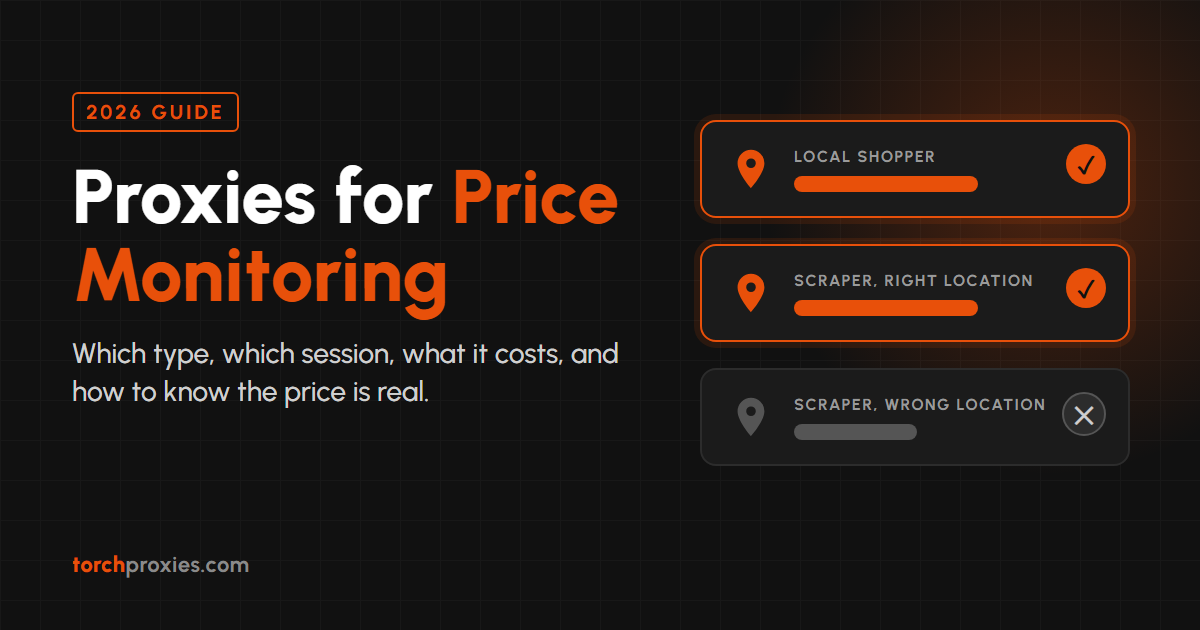
Your scraper got a price back. Whether it's the price a shopper in that city actually sees is a different question.
- Residential proxies are the default for stores with bot defenses. Datacenter proxies are cheaper and fine for sites that don't block them.
- ISP proxies (from $2.30/IP/month) fit a short list of stores you check many times a day, or checks that need a logged-in account.
- Use rotating sessions for one-page product checks. Use a sticky session when the price depends on steps: pick a region, set a postcode, then read the price.
- Your IP sets the country. The store's own location cookie, saved postcode and account settings can still override it, so validate every price you store.
- Per-GB cost is products × checks per day × page weight. Measure your page weight before you buy anything.
- Premium Residential ($4.50/GB, 90M+ IPs) is the plan matched to business price monitoring, and the free trial doesn't ask for a card.
Most pages about proxies for price monitoring end with "use residential proxies." That answer is half right, and it skips the part that costs you money. This guide covers which proxy type fits which kind of store, when a price check needs the same IP across several pages, how to tell when a store is feeding your scraper a wrong price, and how to estimate the monthly bill before you commit. If you already run price checks and the numbers sometimes look off, start with the section on the wrong price.
Which Proxy Type Fits Price Monitoring?
Residential proxies fit most price monitoring, because the stores worth monitoring usually run bot defenses that treat datacenter IP ranges with suspicion. That's the default. It isn't the whole answer. The right type depends on two things: how hard the store blocks automated traffic, and how often you check it.
Datacenter proxies are the cheapest way to check prices on sites that don't block them: smaller retailers, supplier portals, marketplaces with open listing pages. The test is simple. If a site answers a plain request from a server without a CAPTCHA or a block page, paying for residential traffic buys you nothing.
Residential proxies route each request through an IP assigned to a home internet connection. To a store, that traffic looks like a shopper. This is what you need when the store fights back.
ISP proxies sit in between: static IPs registered to consumer internet providers, priced per IP instead of per gigabyte. They suit a short list of stores you check many times a day.
Mobile proxies route through carrier networks. They're for targets that block residential traffic too. Most price monitoring never gets there.
| Proxy type | IP source and bot defenses | Check pattern it suits | Location control | Session behavior | Price |
|---|---|---|---|---|---|
| Datacenter | Server IPs; often the first traffic a store blocks | High volume on sites that don't block | Depends on the provider | Depends on the provider | Not part of our lineup |
| Standard Residential | Home-connection IPs; the usual choice for defended stores | Broad catalogue checks on a budget | Country, state, city | Rotating, or sticky up to 168h | $4/GB 30M+ IPs, 195 countries |
| Premium Residential | Home-connection IPs, larger pool | Business price monitoring, many stores | Country | Rotating, or sticky up to 168h | $4.50/GB 90M+ IPs, 195 countries |
| Plan X | Residential IPs plus integrated ISP pools | Mixed jobs: catalogue crawls plus dedicated ISP pools on one account | Country, state (US), city | Rotating, or sticky up to 168h | Per GB, 120M+ IPs |
| ISP Static | Consumer-ISP IPs, but one fixed IP is easy to count | A few stores, many checks a day, logged-in checks | Country | Fixed IP for the life of the order | $2.40/IP/month for 5 IPs, $2.30/IP/month at 25+ |
| Mobile | Carrier IPs; for targets that block residential too | Hardest targets only | Country, city, carrier | Rotating, or sticky up to 7 days | Per-GB pricing, 150+ countries |
For the product side of this use case, see our price monitoring proxies page. If your scraping goes beyond prices, the complete guide to proxies for web scraping covers the wider picture.
Rotating or Sticky: When Price Checks Need the Same IP
Use a rotating session when each price lives on one page, and a sticky session when the price only appears after several steps.
A rotating proxy gives each request a new IP. That's what you want for checking thousands of product pages once each: no single IP makes enough requests to stand out, and you don't care which IP fetched which page.
Plenty of prices aren't on the product page, though. Shipping-inclusive prices, regional promotions and anything tied to a delivery postcode usually need a sequence: open the store, set the region or postcode, maybe add the item to a cart, then read the price. If the IP changes between step one and step three, the store can drop the session, reset the location or flag the jump.
On Standard Residential, Premium Residential and Plan X, sticky is one addition to the proxy password: _session- followed by an ID of exactly 8 lowercase letters and digits, plus an optional _lifetime- of up to 168h. Leave the session out and you're rotating.
PASSWORD-country-de_session-k3m9x2qa_lifetime-1h    (sticky: Germany, held for 1 hour)
PASSWORD-country-de                                 (rotating: Germany, new IP per request)
In the dashboard, the Sticky option holds an IP for 30 minutes, and Custom lets you set your own duration in minutes.
More on the mechanics: static vs rotating proxies.
The Real Risk: Getting the Wrong Price Back
Blocks are the failure everyone plans for. They're loud: a 403, a CAPTCHA page, an empty response. The failure that costs more is quiet. A 200 response with a price no real shopper sees, sitting in your dataset and looking normal.
A proxy changes one input to "where the store thinks you are." Stores read several. Wrong prices usually come from one of these:
Accept-Language header or an earlier session.So check every result before it goes into your dataset:
- Confirm the currency symbol or code matches the market you targeted.
- Read the store's own location indicator (the "Delivering to" line, the selected country, the postcode field) and save it next to the price.
- Start each regional run with an empty cookie jar, so yesterday's location doesn't follow you.
- Flag price changes outside the range you'd expect for that product, and keep the raw HTML for every flagged row.
- Spot-check a few products by hand from a normal browser on the same proxy location.
Products: Standard Residential · Plan X · ISP Proxies
What Price Monitoring Costs: Products × Checks per Day
Per-GB proxies cost what your pages weigh. You can work out the monthly bill from three numbers before you buy anything:
monthly GB   = products × checks per day × 30 × page weight (MB) ÷ 1,024
monthly cost = monthly GB × price per GB
Page weight is the number people guess, and the guess is usually off. Measure it instead. Open one product page with your browser's DevTools on the Network tab and read the transferred total. Do it twice: once for the HTML document alone (roughly what requests downloads), and once with the page fully loaded (what a headless browser downloads). The second number is far bigger, because a browser also pulls images, scripts and fonts.
Then account for retries. A blocked or failed request still uses traffic, so a job that retries often costs more than the formula says. Track your retry rate for a few days and add it on top.
Once you have monthly GB, comparing plans is straight multiplication. Every 10 GB costs $40 on Standard Residential ($4/GB) and $45 on Premium Residential ($4.50/GB).
ISP proxies are priced per IP per month instead: $2.40/IP for 5 IPs, and $2.30/IP at 25 or more. Five IPs come to $12 a month. Twenty-five come to $57.50.
Which model is cheaper depends on the shape of the job:
- Many products across many stores, checked once or twice a day: per-GB residential. You need a wide spread of IPs, and the traffic per IP stays small.
- A handful of stores checked many times a day: price it both ways. Run the per-GB formula, then compare it with the cost of the ISP IPs the job would need, and confirm the bandwidth terms on the ISP order before you decide.
Two habits cut the bill. Fetch only the HTML, or the store's product data endpoint if the page loads its prices from one, instead of rendering the whole page. And check fast-moving products more often than slow ones, instead of running everything on the same schedule.
ISP Proxies for Stores You Check All Day
ISP proxies are the right tool when a short list of stores needs checking many times a day from one steady identity.
An ISP proxy is a static IP registered to a consumer internet provider. You don't connect through a rotating gateway. The dashboard gives you the real server address for each IP you order, and the IP stays fixed for the life of the order, so there are no session flags to manage.
Two price-monitoring jobs fit it well:
- Checks behind a login, such as trade or wholesale prices that only a signed-in account can see. A login that jumps between residential IPs looks odd to the store. One stable IP looks like one customer.
- Frequent checks on a few stores where you want the same location on every run, so a change in price is a change in price and not a change in where you appeared from.
Our ISP proxies come in use-case pools per country, each pre-tested for its target category, and Retail is one of those categories. The carriers are named, not generic: AT&T, Windstream, RCN, Wave, Spectrum/Charter and Frontier in the USA; Virgin Media and BT in the UK; Rogers in Canada; Deutsche Telekom in Germany; Vocus in Australia; HGC in Hong Kong.
The honest limit: a static IP is easy to count. One IP requesting the same store's pages all day can run into rate limits or bot rules sooner than rotating residential traffic would. ISP proxies are for depth on a few stores. For crawling a whole catalogue, rotating residential is the better tool.
When You Don't Need Proxies for Price Monitoring
You don't need proxies at all if the price data reaches you another way, and you don't need ours if a cheaper option does the job.
- The retailer offers an API or product feed. Many marketplaces and retailers publish price data to sellers and affiliates through official APIs or feeds. If one covers your stores, use it. The data is cleaner and you skip scraping entirely.
- You check a few dozen products a day, in your own country. A scheduled script on your own connection, at a polite request rate, often works fine. Add proxies when it stops working, not before.
- The sites don't block datacenter traffic. Run the plain-request test from the first section. If it passes, residential traffic is money spent on nothing, and since datacenter proxies aren't part of our lineup, that's a job you shouldn't bring to us.
- You need one snapshot, not ongoing monitoring. Someone with a browser and a VPN can collect twenty prices faster than you can build a pipeline for them.
If you're watching fewer stores than you have fingers, honestly, start without proxies. Come back when the 403s start.
Setting It Up: A Python Example
Here's a minimal price checker in Python with requests, using Premium Residential. Swap in your own credentials. For another plan, replace the host with that plan's own gateway: Standard Residential is nsstandard.x.proxiess.com:9000 and Plan X is geox.x.proxiess.com:6011.
import random
import string
from urllib.parse import quote

import requests

USER = "USERNAME"
PASSWORD = "PASSWORD"
HOST = "nspremium.x.proxiess.com:8000"  # Premium Residential, HTTP/HTTPS


def new_session_id():
    # Session IDs are exactly 8 lowercase letters and digits
    return "".join(random.choices(string.ascii_lowercase + string.digits, k=8))


def proxies(country, session_id=None, lifetime="1h"):
    pwd = f"{PASSWORD}-country-{country}"
    if session_id:
        pwd += f"_session-{session_id}_lifetime-{lifetime}"
    url = f"http://{USER}:{quote(pwd, safe='')}@{HOST}"
    return {"http": url, "https": url}


# Rotating: one product page per request, a new IP each time
for page in ("https://example-store.com/p/1001", "https://example-store.com/p/1002"):
    r = requests.get(page, proxies=proxies("gb"), timeout=30)
    print(page, r.status_code)

# Sticky: set the delivery postcode, then read the price on the same IP
with requests.Session() as s:
    s.proxies = proxies("de", session_id=new_session_id())
    s.get("https://example-store.com/set-postcode?code=10115", timeout=30)
    r = s.get("https://example-store.com/p/1001", timeout=30)
print(r.status_code)http:// proxy URL handles HTTPS stores, which is correct and not a typo. And requests.Session keeps cookies between calls, so the postcode set in the first request is still there for the second.
Three details that trip people up:
- URL-encode the password, as the example does with
quote(). An@,#,/or:in a raw password breaks the proxy URL, and the error looks like a bad credential. - Playwright takes the proxy server and the credentials as separate fields, and Chromium's SOCKS5 support doesn't do username and password authentication. Use the HTTP gateway, or whitelist your server's IP in the dashboard.
- The example store URLs are placeholders. Use the store's real product and postcode pages.
Request pacing, retries and polite crawling apply to price checks like any other scraper. Web scraping best practices for 2026 covers those habits in detail.
Which Proxy Should You Use for Price Monitoring?
Use rotating residential proxies for broad catalogue checks on stores with bot defenses, sticky sessions wherever the price depends on a region or postcode you set, ISP proxies for a short list of stores you hit all day, and datacenter proxies, or none at all, for sites that don't fight back. Then validate every price. The proxy gets you through the door. It doesn't tell you whether the price on the shelf is the one the locals see.